INSTAR Deutschland - Ihr Spezialist für IP-Kameras / Überwachungskameras
INSTAR Germany - Your Specialist for Surveillance IP-Cameras / Security Cameras

List of all CGI commands to control and manage your IP camera

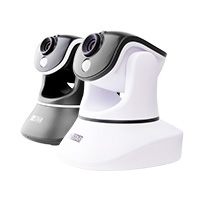
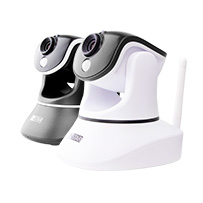
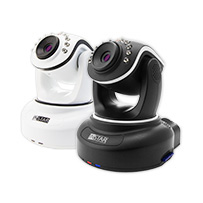
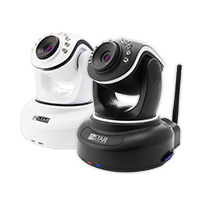
For all developers that want to integrate our cameras in their software or for everyone that wants to experiment a little we now offer a full list of all CGI commands that can be used with our IP cameras (using the Winbond chipset)

If you need any other commands you are welcome to contact the INSTAR support team any time.
---------------------------------------------------------------------------------------------------------------------------------------------------------------

CGI Commands for INSTAR IP Cameras
Vendor: INSTAR
The following Models are supported by the following commands below.
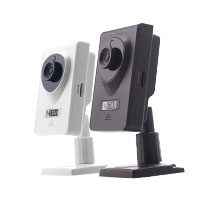
Model: IN-2905 (Videostream, Snapshot, Configuration)
Model: IN-2901 (Videostream, Snapshot, Configuration)
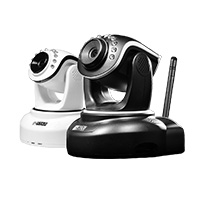
Model: IN-3010 (Videostream, Snapshot, Configuration, PAN/TILT, Automatic Patrol)
Model: IN-3001 (Videostream, Snapshot, Configuration)
--------------------------------------------------------------------------------------------------------------------------------
VIDEOSTREAM: /videostream.cgi[?user=&pwd=&resolution=&rate=]
resolution:(8:320*240,32:640*480)
rate: 0-23
0:highest/fastest
1:20 fps
3:15 fps
6:10 fps
11:5 fps
12:4 fps
13:3 fps
14:2 fps
15:1 fps
17:1 fp/2s
19:1 fp/3s
21:1 fp/4s
23:1 fp/5s
For example: If your IP is 192.168.1.190 and Port is 81 and you want a resolution of 640*480 and
the fastest speed of fps then you have to type in the following:
http://192.168.1.190:81/videostream.cgi?user=admin&pwd=&resolution=32&rate=0
--------------------------------------------------------------------------------------------------------------------------------
SNAPSHOT: /snapshot.cgi[?user=&pwd=&next_url=]
After next_url the user can type in the name of the picture. If you dont include next_url then the picture
will automaticly get the name (DeviceAlias + current time.jpg)
Example: http://192.168.1.190:81/snapshot.cgi?user=admin&pwd=
or http://192.168.1.190:81/snapshot.cgi?user=admin&pwd=&next_url=test
--------------------------------------------------------------------------------------------------------------------------------
VIDEOSTREAM ASF: Settings are the same as videostream.cgi above.
Example: http://192.168.1.190:81/videostream.asf?user=admin&pwd=&resolution=32&rate=0

CONFIGURATION SETTINGS: /camera_control.cgi?param=&value=[&user=&pwd=&next_url=]
With this settings you can set resolution , brigthness...
param value
0:resolution 2:qqvga
8:qvga
32:vga
1:brightness 0~255
2:contrast 0~6
3:Mode 0:50hz
1:60hz
2:Outdoor
5:rotation 0:original
1:Flip Vertical
2:Level Image
3:Flip + horizontal Mirror Image
--------------------------------------------------------------------------------------------------------------------------------
PAN / TILT FUNCTION: /decoder_control.cgi?command=[&onestep=&user=&pwd=&next_url=]
tilt up="/decoder_control.cgi?command=0&onestep=1&user=&pwd="
tilt down="/decoder_control.cgi?command=2&onestep=1&user=&pwd="
pan left="/decoder_control.cgi?command=4&onestep=1&user=&pwd="
pan right="/decoder_control.cgi?command=6&onestep=1&user=&pwd="
home pos="/decoder_control.cgi?command=25"

For a direct position change use:

Pos01 = /decoder_control.cgi?command=31&user=&pwd=
Pos02 = /decoder_control.cgi?command=33&user=&pwd=
Pos03 = /decoder_control.cgi?command=35&user=&pwd=
Pos04 = /decoder_control.cgi?command=37&user=&pwd=
Pos05 = /decoder_control.cgi?command=39&user=&pwd=
Pos06 = /decoder_control.cgi?command=41&user=&pwd=
Pos07 = /decoder_control.cgi?command=43&user=&pwd=
Pos08 = /decoder_control.cgi?command=45&user=&pwd=
Pos09 = /decoder_control.cgi?command=47&user=&pwd=
Pos10 = /decoder_control.cgi?command=49&user=&pwd=
Pos11 = /decoder_control.cgi?command=51&user=&pwd=
Pos12 = /decoder_control.cgi?command=53&user=&pwd=
Pos13 = /decoder_control.cgi?command=55&user=&pwd=
Pos14 = /decoder_control.cgi?command=57&user=&pwd=
Pos15 = /decoder_control.cgi?command=59&user=&pwd=


AUTOMATIC PATROL:
/set_misc.cgi?[led_mode=&ptz_center_onstart=&ptz_auto_patrol_interval=&ptz_auto_patrol_type=&ptz_patrol
_h_rounds=&ptz_patrol_v_rounds=&user=&pwd=&next_url=]

led_mode:0:Mode 1;1:Mode 2;2:Turn off
ptz_center_onstart:=1,activate center on start
ptz_auto_patrol_interval:automatic patrol,=0:no automatic control
ptz_auto_patrol_type:0:No;1:horizontal;2:vertical;3:horizontal and vertical
ptz_patrol_h_rounds:Horizontal patrol laps,0:Infinite
ptz_patrol_v_rounds:Vertical patrol laps,0:Infinite
ptz_patrol_rate:Head Speed manual,0-100,0:Fastest
ptz_patrol_up_rate:automatic cruise speed (up):0-100,0:slowest
ptz_patrol_down_rate:automatic cruising speed (down):0-100,0:slowest
ptz_patrol_left_rate:cruising speed automatic (left):0-100,0:slowest
ptz_patrol_right_rate:cruising speed automatic (right) :0-100,0:slowest
-----------------------------------------------------------------------------------------------------------------------------

If you want to activate or deactivate the alarm function with one command you can use this:

Please enter the following path:
http://192.168.1.196/set_alarm
.cgi?motion_armed=1&user=admin&pwd=

(Alarm activated)

http://192.168.1.196/set_alarm
.cgi?motion_armed=0&user=admin&pwd=

(Alarm deactivated)

-----------------------------------------------------------------------------------------------------------------------------